Data management workspace
The Data management workspace is the central hub for managing data import/export, data entities, data projects, templates, and more.
The Data management workspace enables you to:
- Import and export data via data entities
- Manage recurring data jobs
- Monitor execution history and error logs
- Create templates for repeatable processes
To navigate to the Data management in the Outbridge:
- In the Finance and Operations, expand the Workspaces and select Data management.
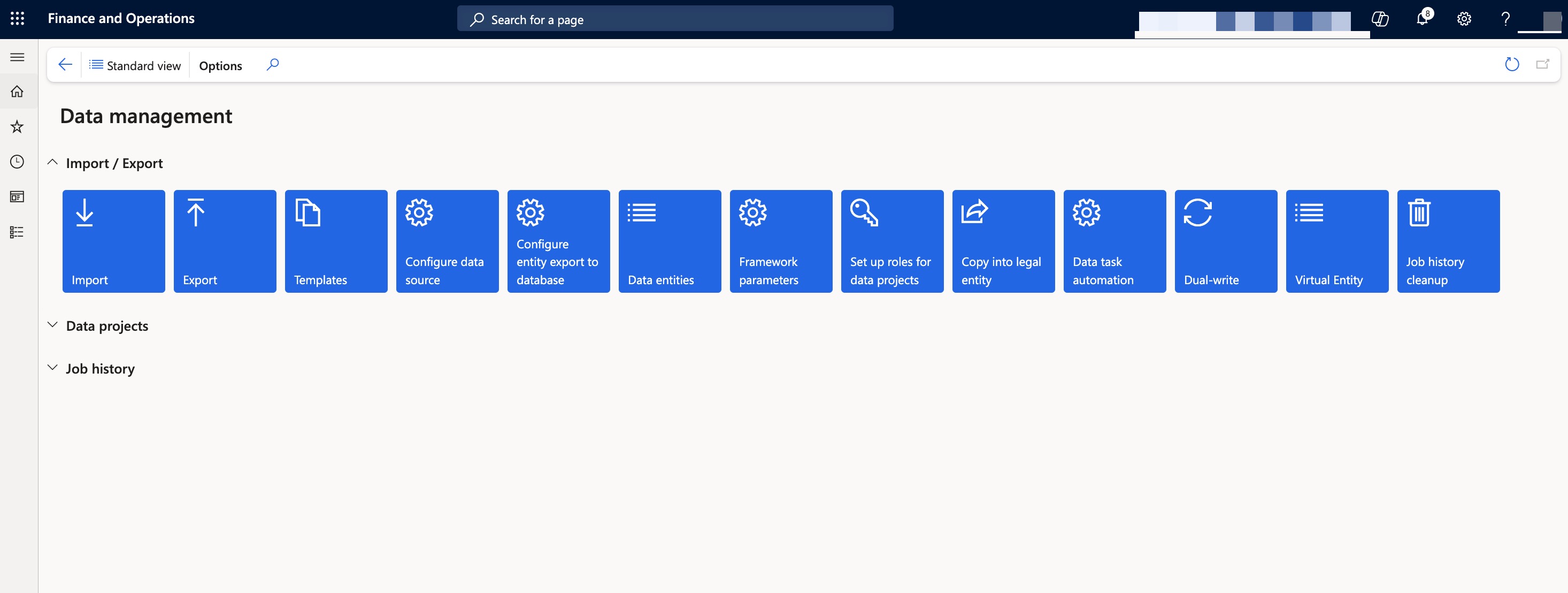
The main options available in the Data management workspace:
- Data projects—Allows creating and managing import or export projects using data entities.
- Job history—Viewing execution history for data projects and checking status (e.g., succeeded, failed, partially succeeded).
- Import/Export—Shortcuts to directly create an Import or Export data project.
- Templates—Allows creating and managing import/export templates for recurring jobs. Templates include preconfigured data entities, mappings, and file formats.
- Data Entities—Browsing or searching all available data entities. Viewing metadata, target tables, and relationships.
- Framework parameters—Configuring system behavior for data management, like execution throttling, parallel processing, error handling, and staging settings.